Newsletter automation used to mean stitching together a stack of tools, templates, and zaps. This time I tried something different: I hired an AI employee named Viktor, messaged him in plain English, and he ran my newsletter for me. I used to pay someone $200 a month to build it.
He researched news in my industry, pulled in my own content, built a visual newsletter, and scheduled it in Brevo. Then he wrote a blog post from it and turned it into social media posts for Instagram and Facebook. The whole first run took him under 30 minutes, and now he repeats it every Friday.
This is different from the agent builds I usually show. There were no automations to wire up and no custom skills to write. If you want the hands-on approach, I have a walkthrough on setting up an automated newsletter in Brevo. This post is about handing the whole job to an employee instead.
AI Employee for Newsletter Automation: The Short Answer
You can automate a newsletter by hiring an AI employee like Viktor and giving him the job in plain English. In my test, I told him to create my first newsletter, use Brevo, and schedule it for Friday. He researched the news, used my content, built a visual newsletter, and scheduled it. I only review it and approve it each week. You do not need to build workflows or train him for hours. Start with one recurring job, check his work, then add more.
What an AI Employee Actually Is
An AI employee is not a tool you configure. Viktor is an assistant you message directly, the same way you would message a person on your team. You tell him what you want done, and he goes and does it.
Viktor lives in Slack, and according to viktor.com he also works in Microsoft Teams and email. When he needs access to an app, he walks you through connecting it, and it usually takes a few clicks. His site says he connects to 9,800+ tools. In the video I said over 9,000, and the site now lists the higher number.
I have used a lot of AI agents. With many of them, you end up spending hours training them, building custom skills, explaining every little detail, and correcting mistakes. At some point you have to ask whether you are actually saving time. The appeal of Viktor for me was how little of that I had to do.
Step 1: Get Viktor Set Up in Slack
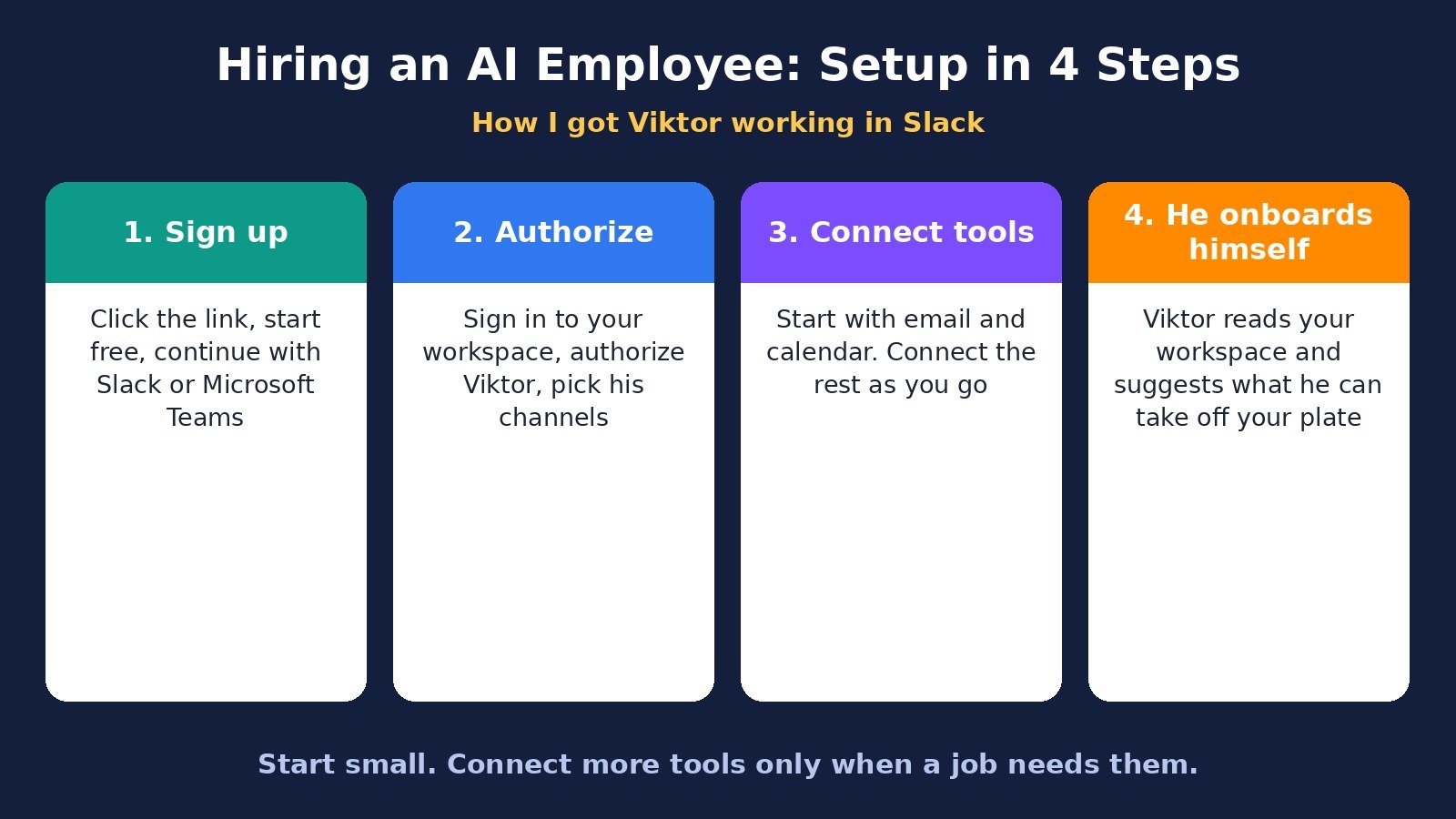
Setup took a few minutes. Create your account and continue with Slack or Microsoft Teams. That is where you will message him. Technically you can message Viktor without either one, but it works best with one of them, so I strongly suggest using one. I went with Slack. If you do not have Slack yet, you can create a free account at slack.com.
Here is the flow I followed:
Sign in to your Slack workspace and authorize Viktor.
Choose the channels you want to invite him to.
Connect a few tools you already use. I suggest your email and calendar to start.
Log in to each tool you selected, and you are done.
You do not need to connect everything up front. You can connect the rest as you go, when you ask him to do work that needs another app. Once setup is finished, Viktor is ready right inside Slack.
How Viktor Onboards Himself
This was the part that surprised me first. As soon as I finished setup, Viktor messaged me. He started onboarding himself on my materials, reading through my workspace history and the tools I had connected. Then he suggested a few things he could help with right away.
He came back with a brief of what he had learned about my business, and it was accurate. He suggested taking things off my plate like the newsletter, my sponsor pipeline, and help with video production.
Then I gave him a bit more context. All I did was send him my website and my YouTube channel. That is the laziest training I could think of. From that one instruction, he went off and learned the type of content I make on my blog and on YouTube, plus my website and my newsletter.
Job 1: A Newsletter From One Lazy Prompt
Here is the first job I gave him. I told him I wanted him to create my first newsletter. I told him I use Brevo as my email sending platform, and that I wanted it scheduled for Friday. I said he could use a mix of my own content and new trends in the industry, and that it could be a very visual newsletter, maybe with an industry news section.
By any standard, it was a terrible prompt. I did not specify sections, layout, which of my content to include, what my industry is, or what kind of news to research. There were plenty of gaps.
Viktor was up for it anyway. He came back with a newsletter that made complete sense. It covered all the AI agents that shipped last week, which fits my topics of automation, AI agents, and LLMs. It included one of my videos, my free prompt guide, examples of other content I have published, tips, and the tools I use.
I compared it to one of the newsletters I used to send, the kind I paid someone to help me with. I would argue that the one Viktor made looks better and has comparable information in it. And I never gave him that older newsletter as a reference.
Connecting Brevo and Scheduling It
The one thing left was getting the email queued up and sent. Viktor walked me through connecting Brevo, and we went back and forth until it was connected. Then he scheduled the newsletter, and it went out on the 16th, the day it was supposed to.
I did not build any of it, and I did not log in to Brevo to configure anything. Viktor wrote the email, scheduled it, and sent it.
Iterating is easier too. If I want a change, I tell Viktor to change a section, and he generates the new section and copy right away. Feedback is faster, and so is getting the job done.
Make the Newsletter a Weekly Routine
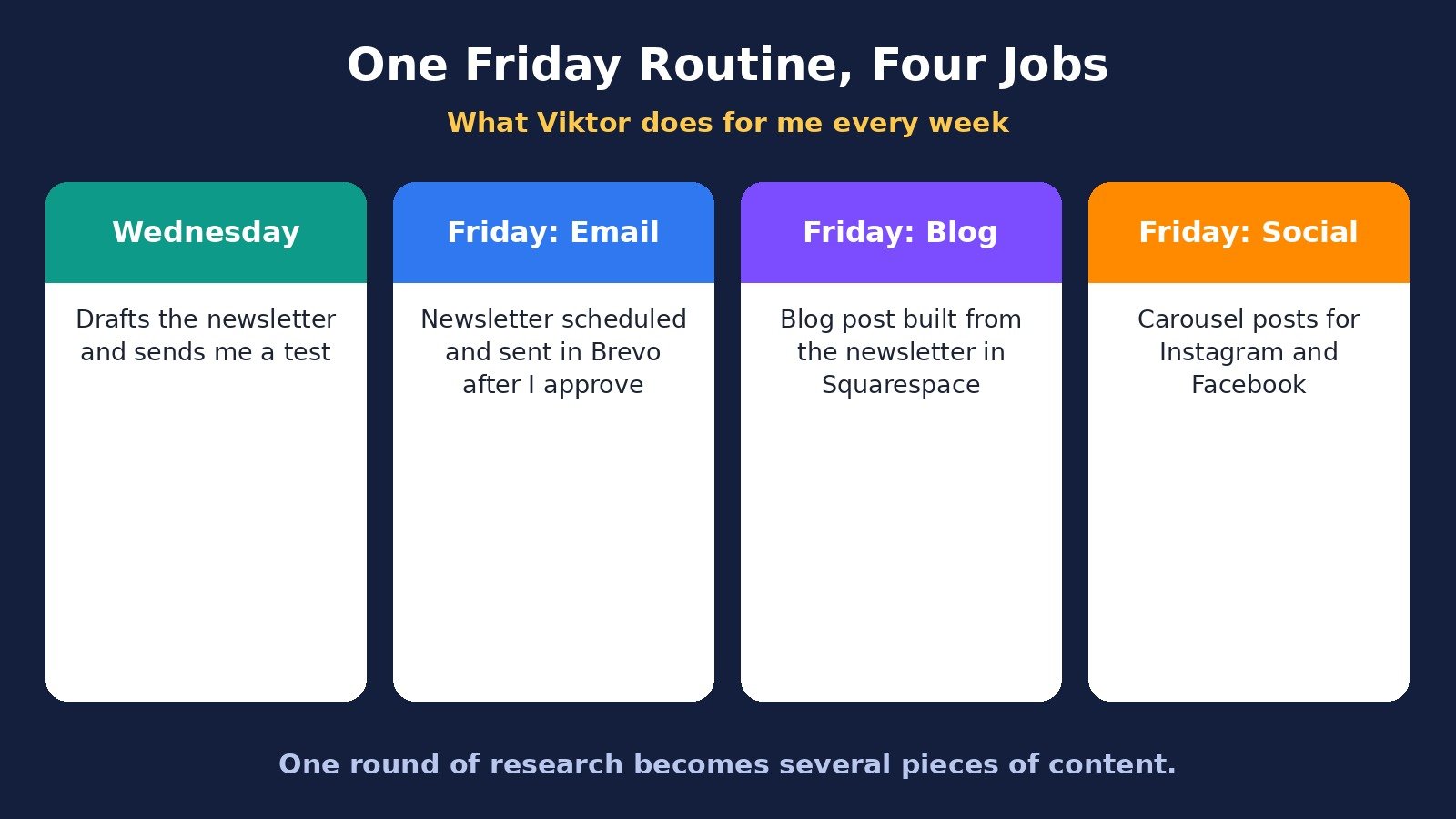
Viktor suggested making it a routine himself. He drafts the newsletter on Wednesday, sends me a test, and schedules it for Friday. Once I approve it, it goes out. That is exactly what I did, and it is now scheduled to go out every week.
All it takes from me is a quick look. He pings me when it is ready, and I either approve it or give feedback.
You can also check what he is doing without asking. On the Viktor site, there is a scheduled section that lists all his scheduled tasks. Mine shows the newsletter, blog post, and carousel posts every Friday.
Job 2: A Blog Post From the Newsletter
After the newsletter, I wondered what else he could do. I asked him to create a blog post from the newsletter and post it to Squarespace. Again, no complex prompt, no list of formats, nothing special. I talked to him like an intelligent human.
Viktor said he got it and gave me a draft in Google Drive. I looked it over, and it matched the newsletter. My plan is to get more out of the same research Viktor already did, so a blog post was an easy extra piece of content. I approved it and asked him to upload it as a draft in Squarespace.
The Squarespace Catch
Squarespace has no API and no MCP. That means an AI tool cannot just send instructions to create a blog post the way it did with Brevo. Brevo has an API and an MCP, so Viktor could send instructions straight to it, almost like a direct pipeline, without logging in through a browser.
With Squarespace, Viktor had to do the work like a human. He asked me to open the browser and log in, then he built out the post using his own browser and computer. While he worked, he sent me screenshots, and then he told me it was done.
I went over to check, and it looked like one of my regular blog posts. I never told him how my blog looks, that I like lines between sections, how I space things, or which headings I use. He looked at my blog himself, figured out the style, and matched it. That was the part I did not expect.
Job 3: Carousel Posts for Instagram and Facebook
Next I asked for social media posts for Instagram and Facebook. After some clarifying conversation, Viktor created carousel posts the same way he handled everything else. When I was happy with them, I told him to post them, and he did. They went up with captions and hashtags on both Instagram and Facebook.
Now the content I just made has social posts promoting it. I did not open Canva, hand over a brand guide, or give him my logos. He made the design on brand from one simple instruction.
Then I told him to turn the whole thing into an ongoing routine. Every time he does the email, he also does a blog post and the social posts. One round of research becomes several pieces of content, every Friday, without me reminding him.
What Viktor Costs (Checked on viktor.com)
I checked the pricing page on viktor.com on November 18, 2026. Pricing runs on credits, so what you pay depends on what your AI employee does.
Free: up to $100 in credits, no credit card required. Free credits do not expire, and every feature and integration is included.
Team: listed from $100 a month. Unused credits roll over, and you can top up when a big project hits.
Enterprise: custom pricing, with tailored controls and billing.
The site says credits map to real model usage, and that scheduled automations run on credits too, so frequency matters. A weekly routine like mine is a good thing to watch as you decide how many jobs to hand over. Pricing can change, so check the pricing page before you decide.
Who Hiring an AI Employee Is Good For
A good fit if:
You have a recurring marketing job that eats your time, like a newsletter.
You would rather describe the outcome in plain English than build automations.
You are comfortable reviewing and approving work before it goes out.
You already use Slack or Microsoft Teams, or you are willing to start.
Look at other options if:
You want to control every step of a workflow yourself. For that, a builder like Make or n8n is a better fit.
You want to compare other AI employee products first. I also covered Marblism and its AI employees.
I only showed marketing in the video, but Viktor can help with much more. I mentioned finding sales leads, managing projects, onboarding clients, and keeping track of finances. I did not test those in this video, so I will only say what I showed.
If you want to compare this with agents that I set up in a more hands-on way, I wrote about how I built an AI team with Grok Bot and about AI agents that find and contact leads on LinkedIn.
FAQ
Can AI automate a newsletter?
Yes. In my test, Viktor researched industry news, used my own content, built a visual newsletter, and scheduled it in Brevo from one short, loose prompt. I review and approve it before it goes out each week.
What is an AI employee?
An AI employee is an assistant you message directly, like a person on your team, instead of a tool you set up with workflows. Viktor lives in Slack, and his site says he also works in Microsoft Teams and email.
Do I need to build automations or train Viktor?
I did not. I did not create custom skills or write a detailed brief. I sent him my website and YouTube channel, and he onboarded himself. Whenever he needed access to an app, he walked me through connecting it.
Which email platform did I use?
Brevo. Viktor walked me through connecting it, then scheduled and sent the newsletter. Brevo has an API and an MCP, so he did not need to log in through a browser.
Can Viktor publish to Squarespace?
Yes, but it works differently. Squarespace has no API or MCP, so Viktor logged in with his own browser and built the post like a human would, after I logged in for him. He sent screenshots as he worked.
How much does Viktor cost?
You can start free with up to $100 in credits and no credit card. The Team plan is listed from $100 a month, and Enterprise is custom. Check viktor.com for current pricing.
What to Do Next
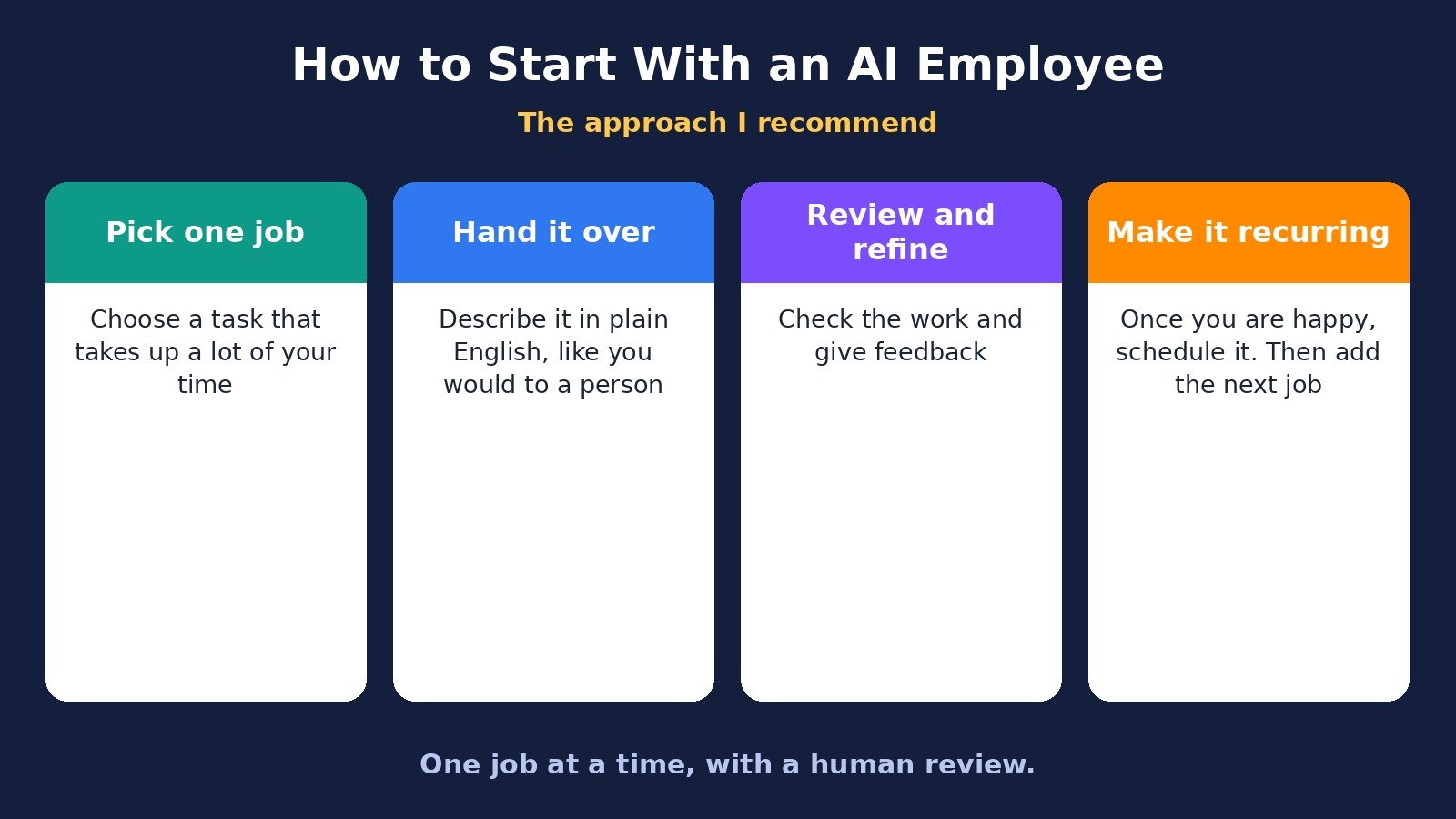
My advice is to start with one job that takes up a lot of your time. Give it to Viktor, review his work, and give him feedback. Once you are happy with how he does it, make it a recurring job. Then move on to the next one. That is how you get leverage without doing everything yourself.
Pick one repeating job, like a weekly newsletter.
Get started with Viktor for free. No credit card is required, and you start with up to $100 in credits.
Use my code KEVIN100OFFZD for an extra $100 off your next credits purchase.
Give him the job in plain English and review what he sends back.
Turn it into a routine once you are happy with it.
If you want help setting up AI tools and automation in your own business, see my services page.
If you also want AI search tools to recommend your business, here is the framework I use to rank in ChatGPT.
Disclosure: This post is sponsored by Viktor. The Viktor link and the code above are my partner links. If you sign up through them or use the code, I may benefit. I only recommend products I trust and use, and the experience described here is from my own test.
Make more. Spend less. Work less.