Best AI Content Repurposing Tools for Solopreneurs (2026)
You already made the thing: a YouTube video, a podcast episode, a webinar. The hard part for a 1-person business is getting that content in front of more people without turning every platform into a second job.
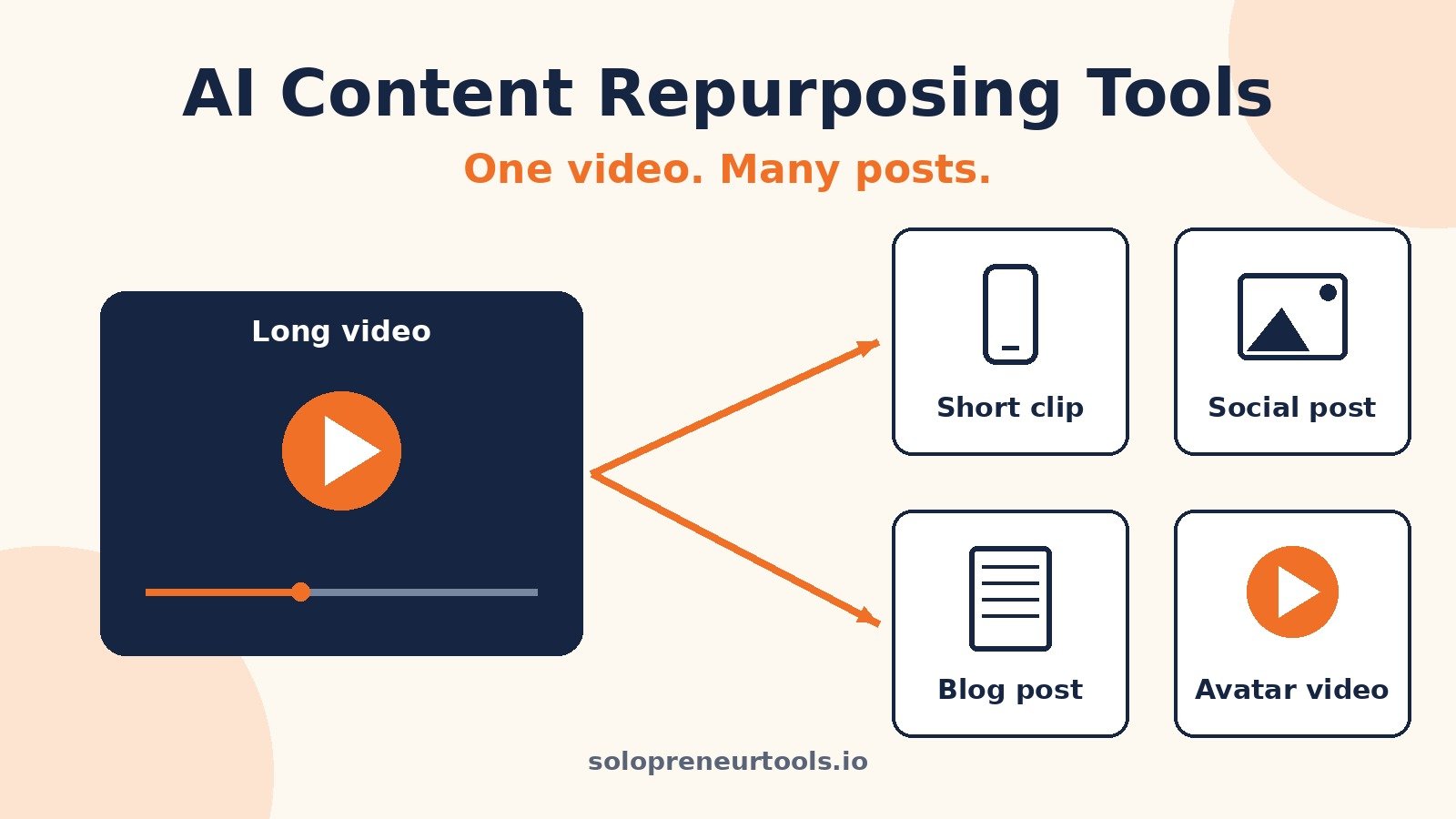
Content repurposing tools turn one piece of content into clips, captions, posts, and uploads for the other places your audience hangs out.
This is a buyer's guide, not a tutorial. No step-by-step setups and no template files. Just five well-known tools, what each is for, how they charge, where they fall short, and who each one fits.
If you want the deep dive on my top pick, my full Repurpose.io review covers it feature by feature. This post is the wider view.
The Short Answer
Repurpose.io if you already publish video and want it posted everywhere automatically. OpusClip or Submagic if your bottleneck is turning long videos into good short clips. HeyGen if you want video without filming. Blotato if you want an AI content engine for social posts.
Many solos end up with one clipper and one publisher.
Four Jobs, Four Kinds of Tools
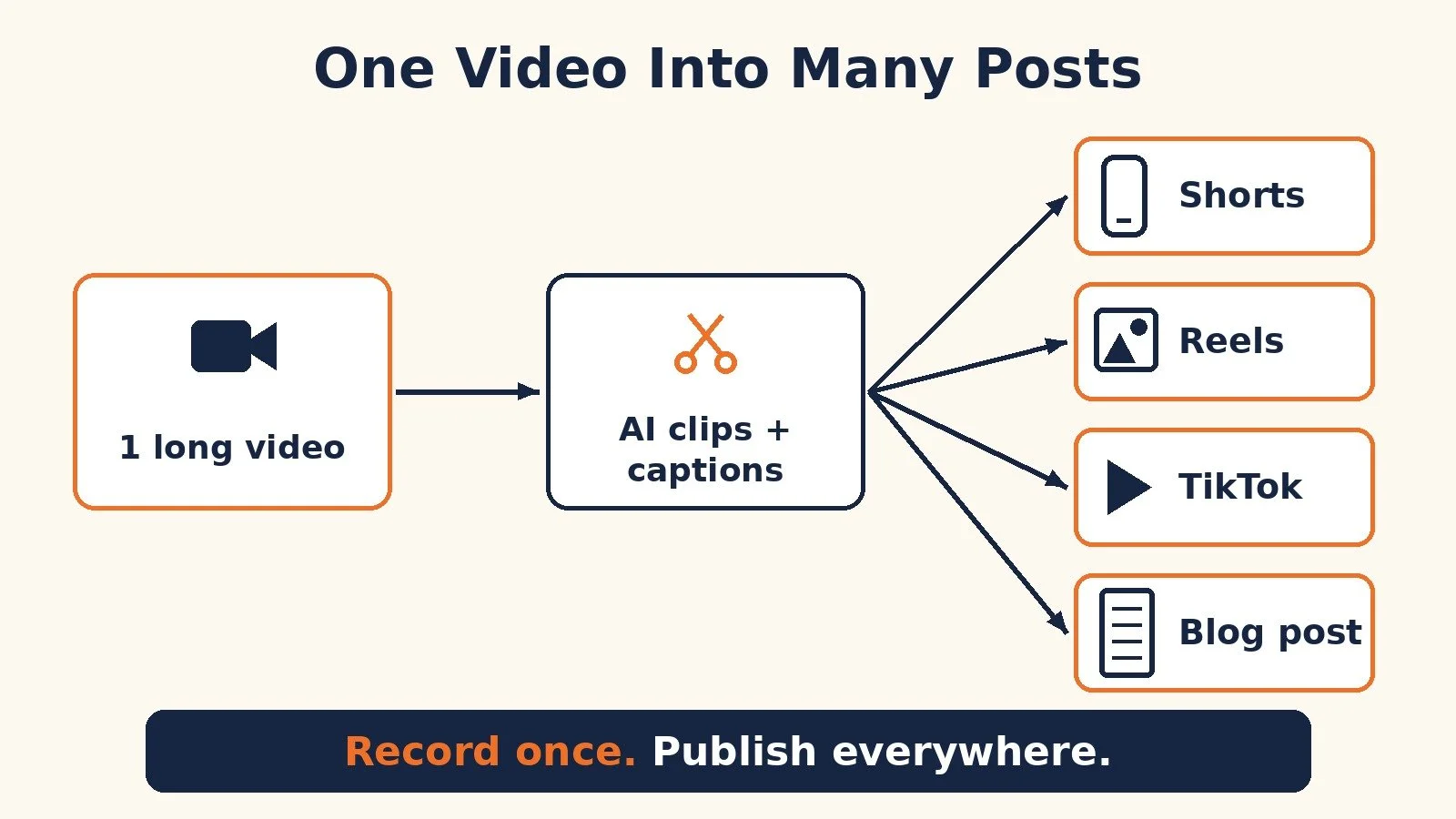
"Repurposing" covers four different jobs, and the tools are not interchangeable:
Distribution: publishing a finished video to other platforms in the right format (Repurpose.io).
Clipping: cutting the best moments of a long video into vertical shorts (OpusClip).
Editing and captions: making a short clip look finished (Submagic).
Generation: turning a script or idea into new video or posts with AI (HeyGen, Blotato).
Decide which job costs you the most time before you compare features.
Quick Comparison
Repurpose.io: Best for: Auto-publishing your videos to other platforms; Pricing model: Flat monthly or yearly plans by number of connected accounts; Free option: Free trial (14 days or 10 published videos on the standard trial)
OpusClip: Best for: Turning long videos into short clips; Pricing model: Monthly credits; Free option: Free plan with a small monthly credit allowance
Submagic: Best for: Captions and polish on short-form video; Pricing model: Per member, with a video count per month; Free option: Start without a credit card
HeyGen: Best for: Avatar video, translation, and video from a script; Pricing model: Monthly credits; Free option: Free plan with 3 videos a month
Blotato: Best for: AI social posts, visuals, and cross-posting; Pricing model: Flat monthly plans with AI credits; Free option: 7-day free trial
All prices below were checked on each tool's official pricing page on October 19, 2026. Prices change, so confirm on the live page before you pay.
1. Repurpose.io: Best for Publishing Everywhere Automatically
Who it fits: solos who already publish on YouTube, TikTok, Instagram, or a podcast and are tired of re-uploading the same content everywhere else.
What it does: Repurpose.io connects your content sources to the platforms where you want that content to appear. You set up a workflow once, and when you publish something new on the source, it gets formatted and sent to the destinations you picked.
Pricing model: flat plans based on how many accounts you connect per social network. When I checked repurpose.io/pricing, the entry plan was $35 a month (or $349 billed yearly) with up to 3 accounts per network and 5,000 published videos a month. The next tier was $79 a month ($790 yearly) for up to 10 accounts per network, and the agency tier was $179 a month ($1,790 yearly) for up to 25. The standard free trial is 14 days or 10 published videos, whichever comes first. Readers here can also use my extended Repurpose.io trial offer, which gives you more time to test it.
Limits to know: Repurpose.io moves content around. It does not pick which part of a long video is worth clipping, and it will not make a weak clip good. Pair it with a clipper if you need that.
Pick it if: you already have a steady publishing habit and want the distribution part off your plate. Start with Repurpose.io here. If you want to see a vertical clip workflow in practice, my guide on turning YouTube videos into vertical clips walks through the idea.
2. OpusClip: Best for Turning Long Videos Into Shorts
Who it fits: podcasters, YouTubers, and anyone with long videos and no time to hunt for clip-worthy moments.
What it does: OpusClip uses AI to pull short clips out of a long video, adds animated captions, reframes the shot for vertical, and gives each clip a virality score so you can decide what to post first. Its pricing page lists auto-posting to YouTube Shorts, TikTok, and Instagram Reels on paid plans, plus filler and silence removal.
Pricing model: monthly credits. When I checked opus.pro/pricing, there was a Free plan with a small monthly credit allowance (exports carry a watermark and media expires after 3 days). Starter was $15 a month, monthly billing only, with 150 credits a month and watermark-free exports. Pro was $29 a month billed monthly, or $14.50 a month billed annually ($174 a year), with 300 credits a month that roll over for 2 months, a social scheduler, multiple aspect ratios, and a 2-seat team workspace.
Limits to know: AI clip picks are a starting point, so review clips before they go out. Storage on Free and Starter expires (3 days and 29 days), so download what you want to keep.
Pick it if: finding clips is the bottleneck. Try OpusClip on the free plan with one long video you already have. I also covered how OpusClip and Repurpose.io work together in turning long videos into short clips.
3. Submagic: Best for Captions and Short-Form Polish
Who it fits: creators with short clips who want them to look finished without opening a full editor.
What it does: Submagic adds AI captions to short videos and handles the polish work around them. Its pricing page lists AI auto captions, b-roll and audio, text-based trimming, and on higher plans, removing bad takes and silences, auto zooms, clean audio, brand kits, and publishing to social with analytics.
Pricing model: per member per month, with a set number of videos and a maximum video length. When I checked submagic.co/pricing, Starter was $19 a month billed monthly ($12 a month billed yearly) for 15 videos a month up to 2 minutes each. Pro was $39 a month monthly ($23 yearly) for 40 videos up to 5 minutes, and added the bad-take and silence removal and social publishing. Business was $69 a month monthly ($41 yearly) for up to 100 videos up to 30 minutes. You can start without a credit card.
Limits to know: Submagic is built for short-form, so check that your clips fit your plan's length cap. Finding clips inside a 60-minute podcast is OpusClip's job.
Pick it if: your clips exist but look rough. Start Submagic here. For more detail, see my Submagic review.
4. HeyGen: Best for Video Without Filming
Who it fits: solos who want video on more channels but do not want to be on camera every time, and anyone who wants to reach viewers in other languages.
What it does: HeyGen generates video from a script using AI avatars and AI voices. You can use stock avatars or create a custom avatar of yourself, clone your voice, and translate videos into other languages. For repurposing, that means turning a blog post or newsletter into a talking-head video, or making translated versions of an existing video.
Pricing model: monthly credits shared across features. When I checked heygen.com/pricing, the Free plan included 3 videos a month up to 1 minute each. Creator was $29 a month ($24 a month if paid annually) with 600 credits, videos up to 30 minutes, 1080p export, voice cloning, 175+ languages and dialects, and watermark removal. Pro started at $49 a month with 1,000 credits and 4K export. Business was $149 a month plus $20 per extra seat. Unused credits roll over for one month on monthly plans.
Limits to know: credit use varies with the AI model, length, and complexity of each video, so estimate usage before you upgrade. Avatar video also feels different from you on camera, so test it with your audience first.
Pick it if: you want more video output without more filming. Try HeyGen free with a short script first.
5. Blotato: Best for an AI Social Content Engine
Who it fits: solos who post on several platforms, write more than they film, and want writing, visuals, and scheduling in one place.
What it does: Blotato combines an AI writer, viral post templates, AI image and video generation, AI voices and captions, and cross-posting to your social accounts. It also has official n8n and Make nodes plus an API, which matters if you automate your content pipeline.
Pricing model: flat monthly plans with a monthly AI credit allowance. Writing is unlimited on every plan. When I checked blotato.com/pricing, Starter was $29 a month with 1,250 AI credits a month and 20 social accounts. Creator was $97 a month with 5,000 AI credits and 40 social accounts. Agency was $499 a month. Every plan has a 7-day free trial, and annual plans save about 17%.
Limits to know: Blotato is a broad content tool, not a dedicated long-video clipper. Heavy AI video generation uses credits faster.
Pick it if: you want one tool to write, design, and post. Start the Blotato trial here. If you want an idea of what it can do with automation, see my post on Instagram DM automation with Claude and Blotato.
Pick by Use Case
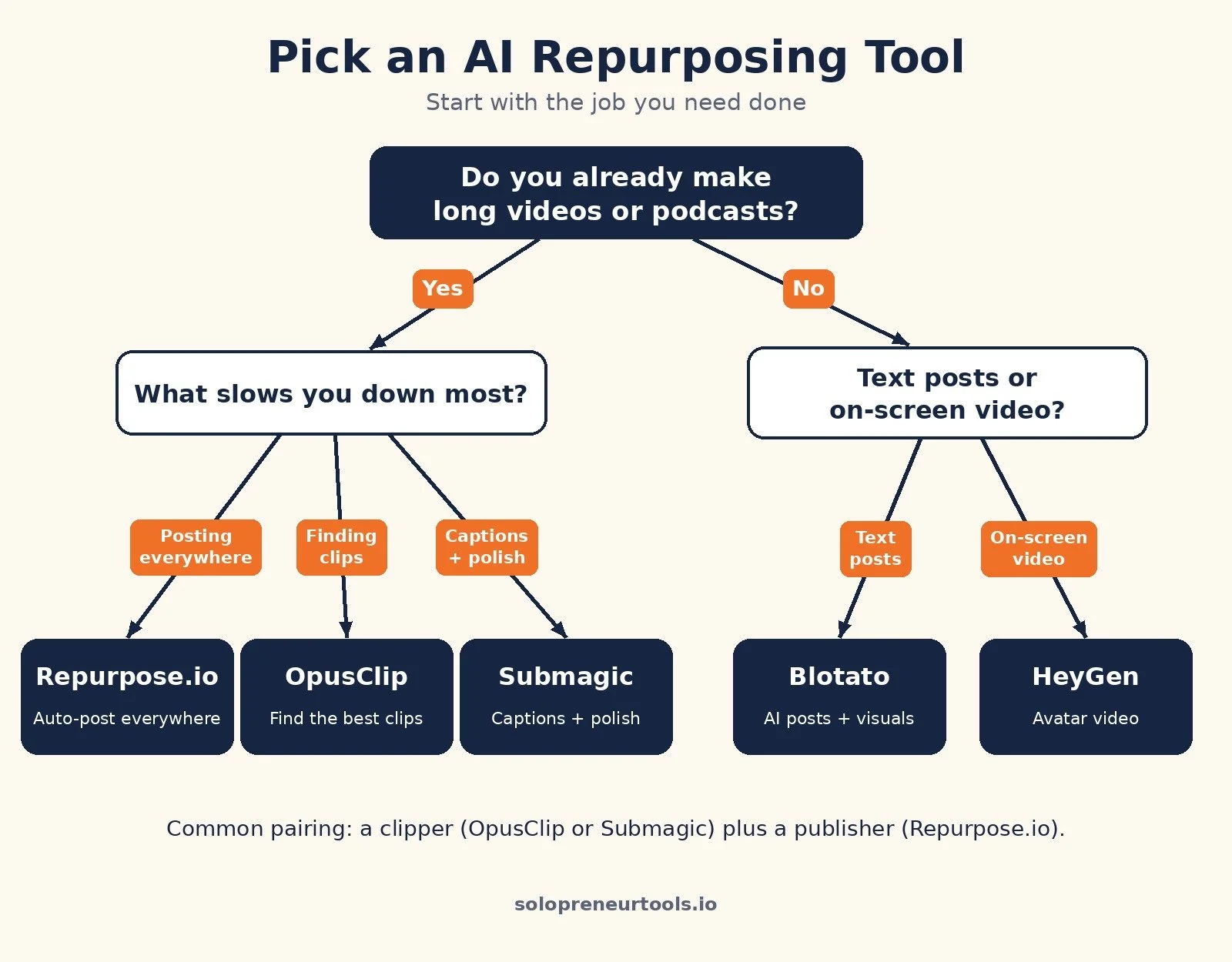
You post on YouTube and want TikTok, Reels, and Shorts covered automatically: Pick: Repurpose.io; Why: Set the workflow once and new uploads get sent everywhere
You record long podcasts or webinars and never make clips: Pick: OpusClip; Why: AI finds and cuts clips with captions and a virality score
Your clips exist but look unfinished: Pick: Submagic; Why: Captions, trims, zooms, and b-roll built for short-form
You want video but do not want to film more: Pick: HeyGen; Why: Script to avatar video, plus translation
You write more than you film and post on many platforms: Pick: Blotato; Why: AI writing, visuals, and cross-posting in one tool
You want the full loop on a budget: Pick: OpusClip plus Repurpose.io; Why: One tool makes clips, the other distributes them
How to Choose in 15 Minutes
List the content you actually ship each week.
Pick the job that eats the most time: distributing, clipping, editing, or creating.
Choose the matching tool from the Quick Comparison above.
Run one real piece of content through its free plan or trial. Something you would actually post.
If it saves time and the quality holds, keep it. Only then add a second tool.
Common Mistakes
Buying three tools on day one. Most solos need one, maybe two. Start with the bottleneck.
Posting every AI clip unreviewed. A bad clip with your name on it costs more than the time you saved.
Ignoring plan limits. Length caps, credits, and account limits decide which plan you need.
FAQ
What is the best AI content repurposing tool for solopreneurs?
It depends on the job. For publishing your videos to other platforms automatically, Repurpose.io. For clipping long videos, OpusClip. For captions and polish, Submagic. For video without filming, HeyGen. For AI-written social posts and cross-posting, Blotato.
Are there free content repurposing tools?
Several have free plans or trials. When I checked on October 19, 2026, OpusClip and HeyGen had free plans with limits, Submagic let you start without a credit card, Blotato offered a 7-day trial, and Repurpose.io offered a free trial of 14 days or 10 published videos on its standard plan.
Do I need both a clipping tool and a publishing tool?
Not always. OpusClip and Submagic include some social publishing on paid plans. Repurpose.io is the dedicated option for hands-free distribution across several platforms and accounts.
Is Repurpose.io worth it?
If you publish video regularly and spend real time re-uploading it to other platforms, it is worth testing. My full Repurpose.io review covers the features, pros, and cons in detail.
What to Do Next
Pick your biggest bottleneck: distributing, clipping, editing, or creating.
Start the matching tool's free plan or trial and run one real piece of content through it this week.
If you already publish video, read my Repurpose.io review and grab the extended trial offer.
If you want to turn videos into written content too, see turning YouTube videos into blog posts.
For the wider stack I recommend, browse Best Tools.
If you want help setting up a content system that runs without eating your week, I take on content and automation strategy projects through my services.
Disclosure: some links in this post are affiliate links (Repurpose.io, OpusClip, Submagic, HeyGen, and Blotato). If you sign up through them I may earn a commission at no extra cost to you. It does not change which tool I tell you to pick.
Make more. Spend less. Work less. Make it once and let it work everywhere.