The Durable AI website builder promises a professional business website in 30 seconds. I wanted to see if that was real, so I tried it. I was able to create and publish an entire site in under a minute.
What surprised me more was everything after the site. Durable can also write and publish blog posts, create social media content, handle customer inquiries, reviews, and bookings, and help your business get found on Google and AI search tools like ChatGPT.
This post walks through exactly what I did in the video: the setup, the site it generated, how I customized it, and the growth tools inside. If you are still on the fence about whether a small business needs a site at all, start with my post on whether you still need a website in 2026.
Durable AI Website Builder: The Short Answer
Durable is an AI website builder that generates a complete business website from a few answers, then gives you AI tools to edit it, write blog posts, create social posts, collect reviews, reply to leads, and take bookings in one place. You can build and preview your site for free. You only need a paid plan when you are happy with it and want to go live.
What Durable Is
Durable is an all-in-one platform for small businesses. The website is the starting point, but the real idea is that the same dashboard helps you get customers and run the business afterward.
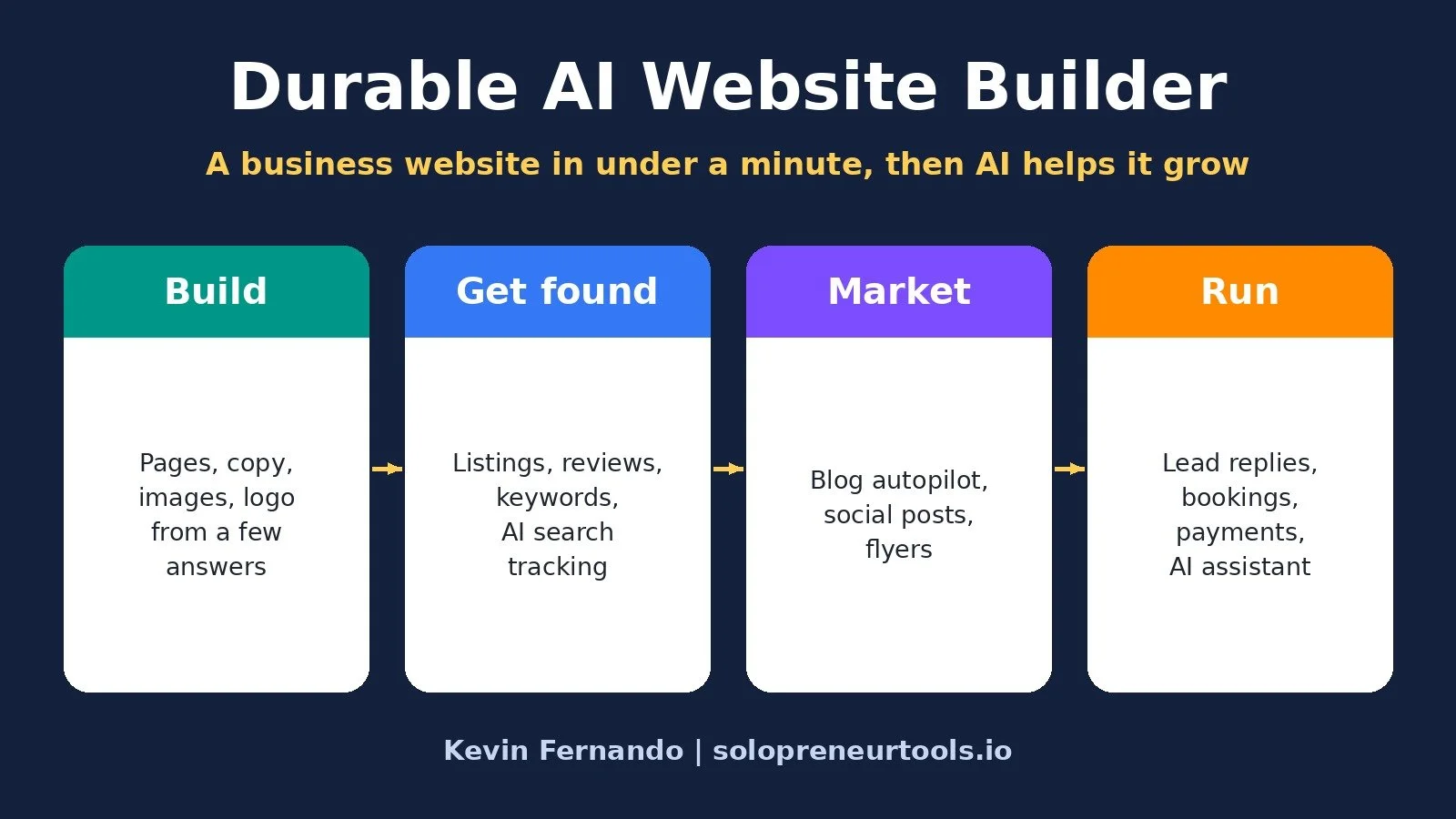
In my walkthrough I used it for four jobs:
Build the site: pages, copy, images, a contact form, and a logo
Get found: business listings, reviews, keyword suggestions, and AI search tracking
Market it: blog posts, social media posts, and promotional images
Run it: lead replies, bookings, payments through Stripe, and an AI assistant
You can create your site for free and you get 300 credits to design it. That is enough to build the whole thing and see exactly what it looks like before you pay for anything.
Step 1: Set Up Your Business
Hit "Start for free" and sign up with your email address, Google, or Apple. It takes a few seconds.
Durable then asks if you want to start a new business or grow an existing one. The steps are the same either way. The only difference is that "grow my existing business" asks you to find your Google Maps or Google Places listing so it can import some information. I chose "start a new business."
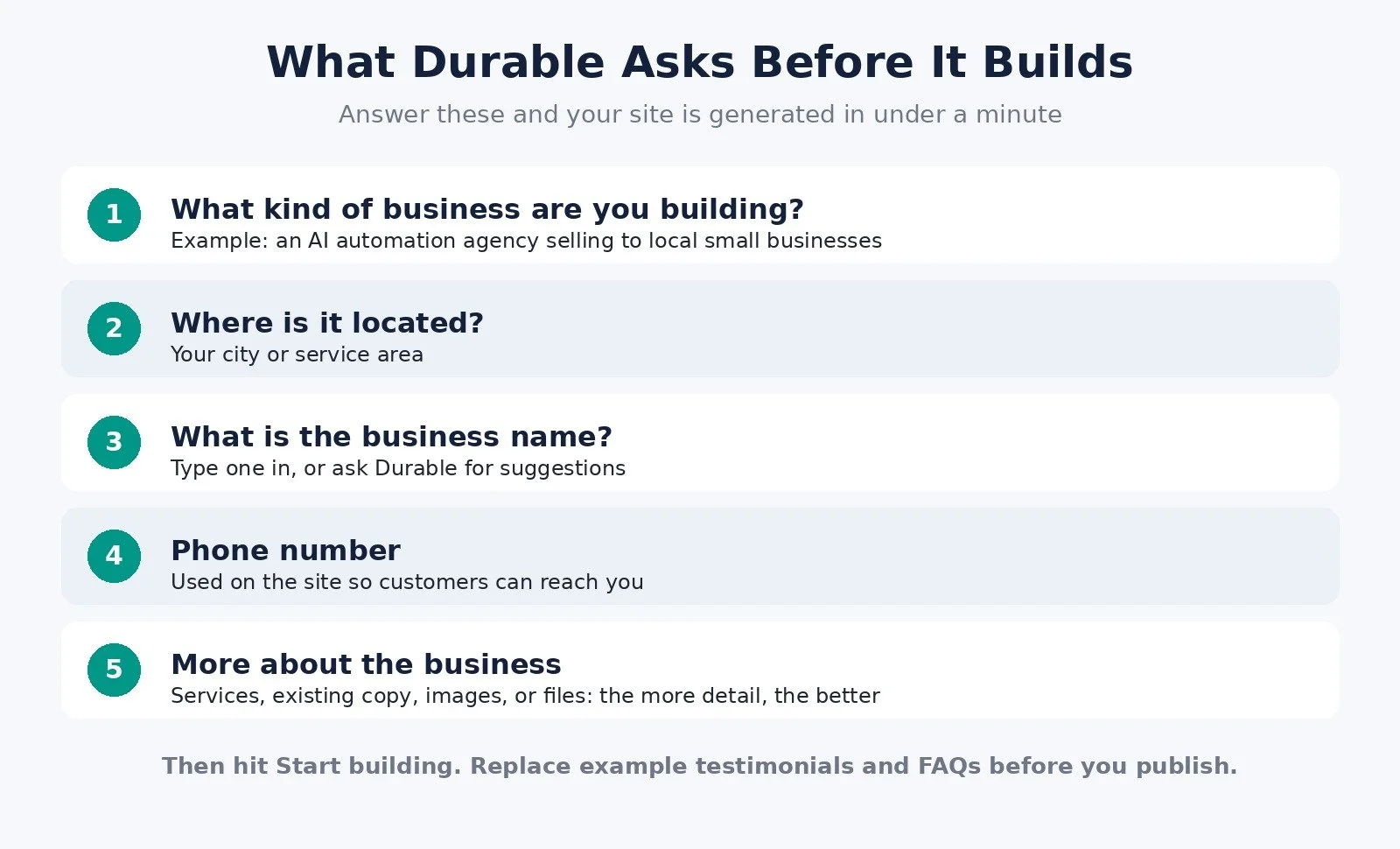
Here is what it asked, in order:
What kind of business are you building? I typed "an AI automation agency selling to local small businesses." You can add as much or as little detail as you want.
Where is it located? I said Toronto, where I am from.
What is the name of your business? You can type one in, or hit "give me some suggestions." I picked BotBloom because it made me laugh.
Your phone number. I put in a number for now.
More about the business. I added one line about providing AI automation solutions for local small businesses. You can also add images or files, existing copy, or details from a current website.
The more information you give it, the better the result. I kept it simple on purpose to show the minimum. Then I hit "Start building."
Step 2: The Site Durable Generated
You land in the dashboard right away. I hit "customize website" and could watch it building the site live. In less than a minute, as promised, I had a website.
Honestly, it looked pretty good for under a minute of work. Everything made sense for an agency:
A "book a call" call to action, which should be the main action for an agency
A section on the type of work you do
Example logos, customers, and "what people are saying"
An FAQ section
Services pages, process pages, and a contact page
You could publish it as is. But you should not. Replace the placeholder customers, testimonials, and FAQs with your real ones, and make the services match how your business actually works. From a pure build perspective, though, the heavy lifting is done. You spend a few minutes on tweaks instead of days on layout.
Step 3: Customize the Theme, Colors, and Copy
Theme and colors
Durable shows the theme your site is on and generates five other options. Each one is a different look and feel, and you switch with one click. You can generate more if none of them fit. I stuck with the original because I liked it best.
You can also hit "change palette" to pick colors that match your brand, for example more yellows. These are one-click changes.
Text, with or without AI
For any text on the page, you click into it and type. Or you ask the built-in AI to rewrite it, or pick an option like "make longer." I used "make longer" on a section and it expanded right there.
That is the part I liked. You are not copying text back and forth from ChatGPT. The AI is inside the editor where you are already working. There is also a normal toolbar for bold, underline, strikethrough, and colors.
Images
Hit edit on any image. You can upload your own, pick from images Durable already made to match your theme, or describe the image you want. I asked for an "automating inventory" image to replace a generic network overview, and a few seconds later it swapped in.
Step 4: Add Sections, Pages, and a Logo
This is where Durable went further than I expected.
Sections by description. Go to add sections and describe what you want. These do not have to be basic text blocks. I typed "Add a pricing calculator, my rate is $200 an hour to estimate the total job cost," and a few seconds later I had a working interactive calculator on the page. You can then ask it to fix or adjust the section.
Navigation and logo. You can edit the navigation bar and swap the logo. Upload your own, or let Durable design one. I hit "Surprise me" and it made a logo I could drop straight in.
New pages. Go to add page and describe the page. There are suggestions too. I asked for a portfolio page with a short prompt and it built it. Then I added it to the navigation in a few clicks.
There is a second way to add pages. On a different site I built for a home cleaning service, I typed "Add a cleaning tips page." Durable reviewed the site and made the page, and I could see it in preview right away.
Mobile and tablet preview. Preview mode shows the site on tablet and phone. I built that cleaning site with one prompt, the same way as the agency example, to show the builder works for almost any niche.
Step 5: Get Found on Google and AI Search
A site is only useful if people find it. Durable has an SEO and GEO section with four main tools.
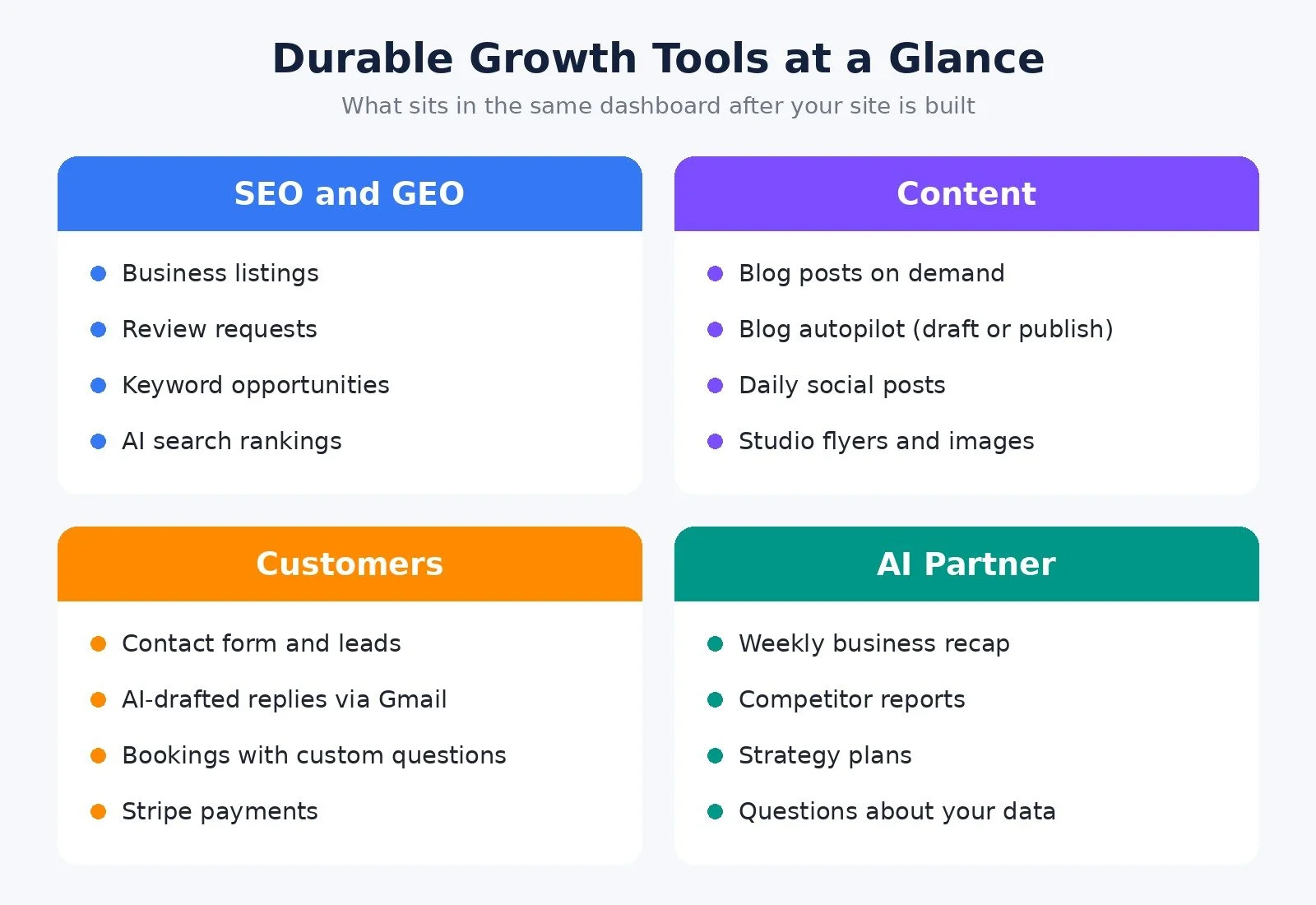
Business listings. Durable walks you through listing your business in directories, step by step. This helps people find you, helps your Google rankings, and helps you show up more often in AI tools like ChatGPT and Gemini.
Reviews. For local service businesses especially, reviews matter a lot. Durable shows how many reviews you have next to your competitors, and you can add competitors manually. It also sends review requests for you. Create your customers, or import your full list, then pick a customer and send the request. Reviews help you rank, and they make you look legitimate when someone is comparing options.
Keyword opportunities. Durable suggests blog posts to write and pages to create. Both are one click. I hit "create page" and it built the page. I hit "create a blog" and it did some research, then wrote the post.
AI rankings. You can see who ranks in ChatGPT, Gemini, and Claude for specific phrases, track how you rank, and add your own keywords to track. It is not just Google anymore.
Step 6: Blog on Autopilot
You can ask Durable to write a blog post on any topic. But the feature I would call the most powerful is autopilot.
You set your topics and your tone, choose a frequency, and Durable writes and publishes posts for you. In my account I had it create a new post every single day.
You choose between two modes:
Draft: posts wait for you to review and publish yourself
Auto publish: posts go live on their own
My take: start in draft mode. Read a few posts, fix anything that does not sound like you or is not accurate for your business, and only switch to auto publish once you trust the output.
Step 7: Social Posts and Images
Blogging is one way to get customers. Social media is another.
Hit "daily social media post" and Durable creates an Instagram or TikTok post with three to five relevant hashtags, on brand, in a few moments. You can also describe the exact post you want. I ran it for the MMA gym site and it made a post I genuinely liked, caption included.
The Studio makes images for your business, like flyers and other promotional graphics. There are templates too. Durable makes a custom version of the template and you modify it as needed.
Step 8: Leads, Replies, Bookings, and Payments
Once people find you, they need a way to get in touch or buy.
Contact form. Your site comes with one, and you can add form fields to capture what you need.
Website leads. When someone contacts you, the message shows up under website leads with a reply Durable has already written. Connect your Gmail, hit approve and send, and it sends from your Gmail. The same approve and send flow works for replying to Google reviews.
Bookings. I set up a service called "free evaluation call": free, 15 minutes, a quick screening call to check if someone is a fit. Then:
Add the service under bookings and set the name, price, and length.
Optionally make it a paid call by connecting Stripe under money. I skipped this because the call was free, and skipped the cancellation and refund options too.
Add a custom question, like "What do you want to discuss?", "What's your website?", or "What's your budget?" You can make it required.
Set who takes the bookings, your calendar, your time zone, and your availability.
Back on the website, people could book the evaluation call. I had blocked weekends, so only weekdays showed. People who book or fill in the contact form are added to your customer list automatically.
Step 9: The AI Partner
The last piece is an AI assistant that looks at your business data. You can ask for a weekly business recap, a competitive intelligence report, or something simple like "How many bookings did I get last week?"
It may ask a few follow-up questions, then it creates the report. I asked it for a competitive report and it went off and did the research. I also asked it to make me a social media strategy and it created a whole plan. Think of it as a general purpose assistant for running the business.
Durable AI Website Builder Pricing (Checked November 11, 2026)
Prices below come from Durable's official pricing page, durable.com/pricing, checked on November 11, 2026. Prices can change, so confirm before you pay.
Free: $0 billed monthly / $0 billed yearly / 300 AI credits total / Build and privately preview your site, CRM up to 10 customers
Launch: $25 per month billed monthly / $22 per month billed yearly / 1,000 AI credits per month / Custom domain, advanced SEO and GEO, unlimited bookings, AI agents
Grow: $49 per month billed monthly / $41 per month billed yearly / 5,000 AI credits per month / Everything in Launch, unlimited team members, site translation, expert onboarding
Durable's pricing page says all plans include SEO, secure hosting, unlimited website traffic, and a CRM. Its FAQ says a custom domain is free with every subscription and that you can connect a domain you already own.
For most solopreneurs, Launch is the plan to look at first. That is where you get your own domain, bookings, and the AI agents for blogs, reviews, and lead replies. Grow makes sense if you have teammates or need your site in more than one language.
If you want to build your site and see it before paying, you can start with Durable for free. In my video description I also shared code SOLO30, listed as 30% off your first year on any paid plan. Check that the code applies at checkout before you rely on it.
Who Durable Is For
A good fit if you:
Have a business idea and want it online without spending weeks figuring out the technology
Run a local service business that lives on reviews, bookings, and quick replies
Are tired of complicated website builders, or of paying a developer for every small change
Want your site, marketing, and customer inquiries in one place, with AI doing a lot of the work
Look at other options if you:
Sell products online as your main business. Durable's own FAQ says it is not designed specifically for e-commerce.
Want deep code control. Durable is a no-code builder and its FAQ says it does not offer extensive HTML customization. If you want full control and a huge plugin ecosystem, see my guide to building a WordPress website with AI.
What Worked and What to Watch
What worked: the speed is real. I had a coherent multi-page site in under a minute, and the editing is genuinely fast because the AI lives inside the editor. The add-section and add-page prompts, like the pricing calculator, were the most impressive part. Having bookings, lead replies, and review requests in the same dashboard saves you from stitching tools together.
What to watch: the generated site uses example customers, testimonials, and FAQs. Replace every one with real information before you publish. The same goes for AI blog posts and lead replies. Review them first, at least until you trust the output. AI writes a solid first draft, but you are the one who knows your business.
FAQ
How do you use Durable AI?
Sign up, answer a few questions about your business (type, location, name, phone number, and a short description), and Durable generates the site. Then customize the theme, text, and images, add any sections or pages you need, and turn on the growth tools like listings, review requests, blog autopilot, and bookings. The steps above walk through each one.
Is Durable AI free?
You can build and preview your full site for free, with 300 AI credits to design it. To go live on your own domain you need a paid plan. Launch was $25 a month billed monthly or $22 a month billed yearly on November 11, 2026.
Is Durable AI good?
For a small service business that wants a site online fast, it worked well in my test: a coherent multi-page site in under a minute, AI editing inside the editor, and bookings, lead replies, and review requests in one dashboard. It is a weaker fit if you mainly sell products online or want deep code control, and you should replace the example content and review AI output before it goes live.
How long does it take to build a site with Durable?
In my test, the site was generated in less than a minute after I answered a few questions. Customizing it to match your real business takes a few more minutes.
Can Durable write and publish blog posts automatically?
Yes. Blog autopilot writes posts on your chosen topics and tone at the frequency you set. You can have them saved as drafts to review or published automatically.
Can I use my own domain with Durable?
Yes. Durable's FAQ says you can connect an existing domain, and that a custom domain is free with every subscription.
What to Do Next
Write down what your business does, who it serves, and where you are located. That is all Durable needs to start.
Build your site on Durable for free and preview it before you pay.
Replace the example testimonials, customers, and FAQs, then set up one booking service and your review requests.
Browse Best Tools for the rest of the stack I recommend.
If you want help setting up AI and automation in your business, I take on projects through my services.
Disclosure: Durable sponsored the video this post is based on, and the Durable links in this post are affiliate links. If you sign up through them I may earn a commission at no extra cost to you.
Make more. Spend less. Work less. Let AI build the site so you can spend your time on customers.