Clawdbot Isn’t What You Think (aka OpenClaw): Hype, Risk, and When — if Ever — to Use It
If you saw the overnight GitHub fireworks, the rebrands, or a crypto scam that borrowed its name, you’re not alone. Clawdbot (now commonly called OpenClaw) exploded into public view as an adorable “AI that actually does things for you.” It sounds like the future: a chat model with hands that can run commands, read files, book flights, and reply to your email while you’re at the gym.
Quick summary — the short version you can act on
What it is: A self-hosted autonomous AI agent that runs on your machine, remembers past interactions, and can use your tools and accounts to perform tasks.
Not a replacement for ChatGPT or Claude: It calls those APIs to think — it doesn’t replace them.
Not a Make.com or n8n replacement: Those are deterministic workflow builders. Clawdbot is autonomous and exploratory.
Main risk: It needs broad access to be useful. Broad access + poor config = big attack surface.
Who should try it: Tinkerers, developers, and researchers in isolated environments. Not businesses or non-technical people.
What exactly is Clawdbot / OpenClaw?
Imagine Siri that doesn't just answer — it acts. You tell it “clear my inbox,” and the agent reads emails, drafts replies, flags urgent items, and sends messages on your behalf. It runs locally (or on a server you control), persists memory, and can call APIs, run shell commands, and edit files.
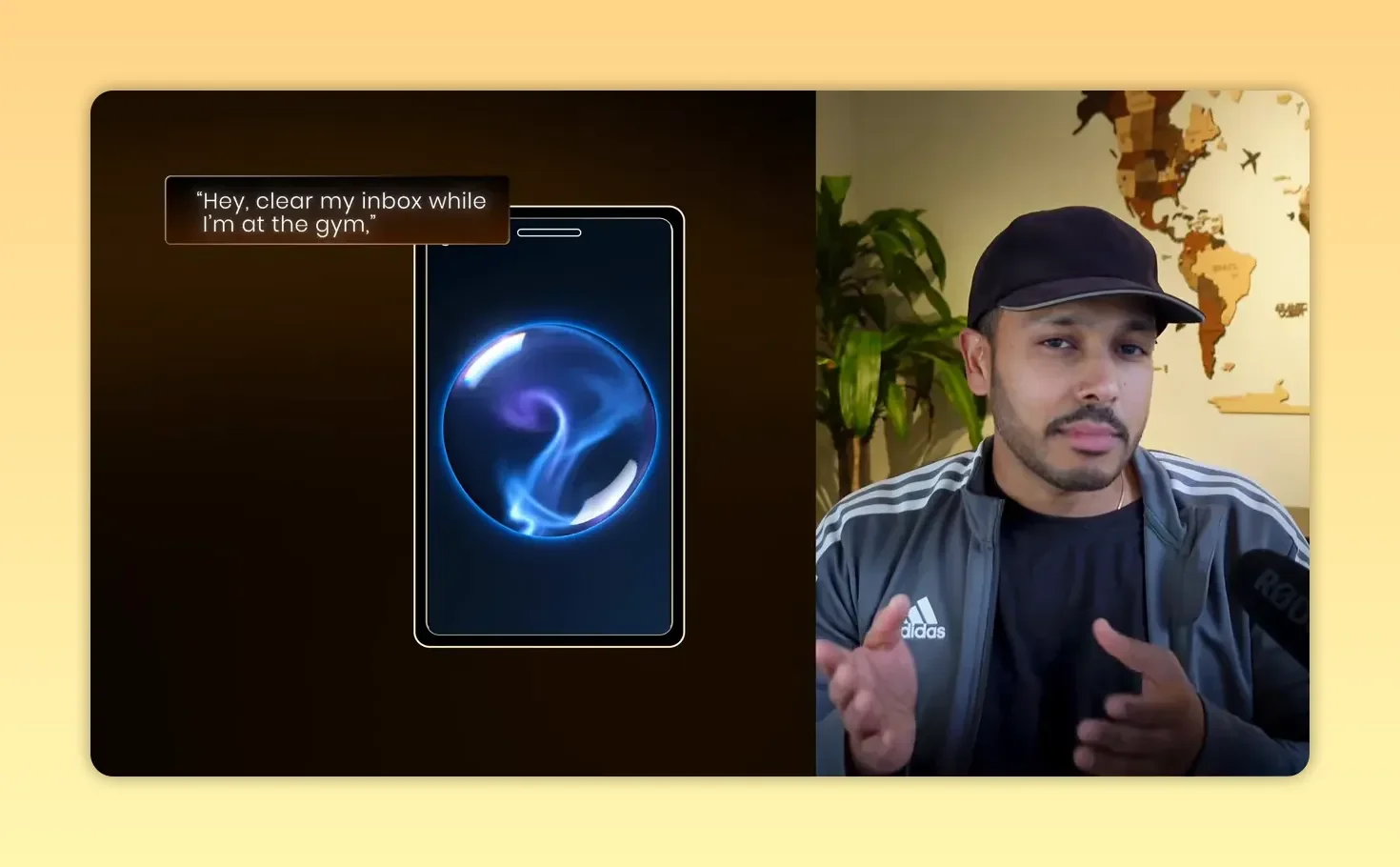
Example command: “Hey, clear my inbox while I’m at the gym” — the agent attempts to complete it.
How it works — a quick architecture overview
The agent runs on your device or a server you control.
It uses LLM APIs (OpenAI, Claude, Gemini, etc.) to plan and decide actions.
Plugins / "skills" connect it to email, files, shells, social apps, and home automation.
It maintains memory and conversation history to be "always on."
Calling Clawdbot a replacement for workflow builders is like calling a chainsaw a scalpel — both cut, but for very different jobs.
Clawdbot vs Make / n8n (and why the comparison is wrong)
People immediately call it a “Make killer.” That’s wrong — they solve different problems:
Make / n8n: Deterministic automation. You define triggers and exact steps. Good for reliability, auditing, and production workflows.
Clawdbot / OpenClaw: Autonomous agent. You give goals and it improvises how to reach them. Good for exploratory, ambiguous tasks — but poor for predictability.
Calling Clawdbot a replacement for workflow builders is like calling a chainsaw a scalpel — both cut, but for very different jobs.
Why you probably should not install it right now
Clawdbot’s core selling point — broad local permissions — is exactly what creates its biggest problems. It can run shell commands, read/write files, access credentials, and send messages. When you give those abilities to an autonomous agent, you increase the blast radius of any mistake or compromise.
Concrete security failures researchers already found
Scans uncovered hundreds to thousands of instances exposed on the public internet simply because control panels were left open.
Recent scans show 4,500+ setups still exposed.
Cisco’s analysis of the community skills marketplace found roughly 26% of community skills contained vulnerabilities — including top-ranked skills that silently exfiltrated data.
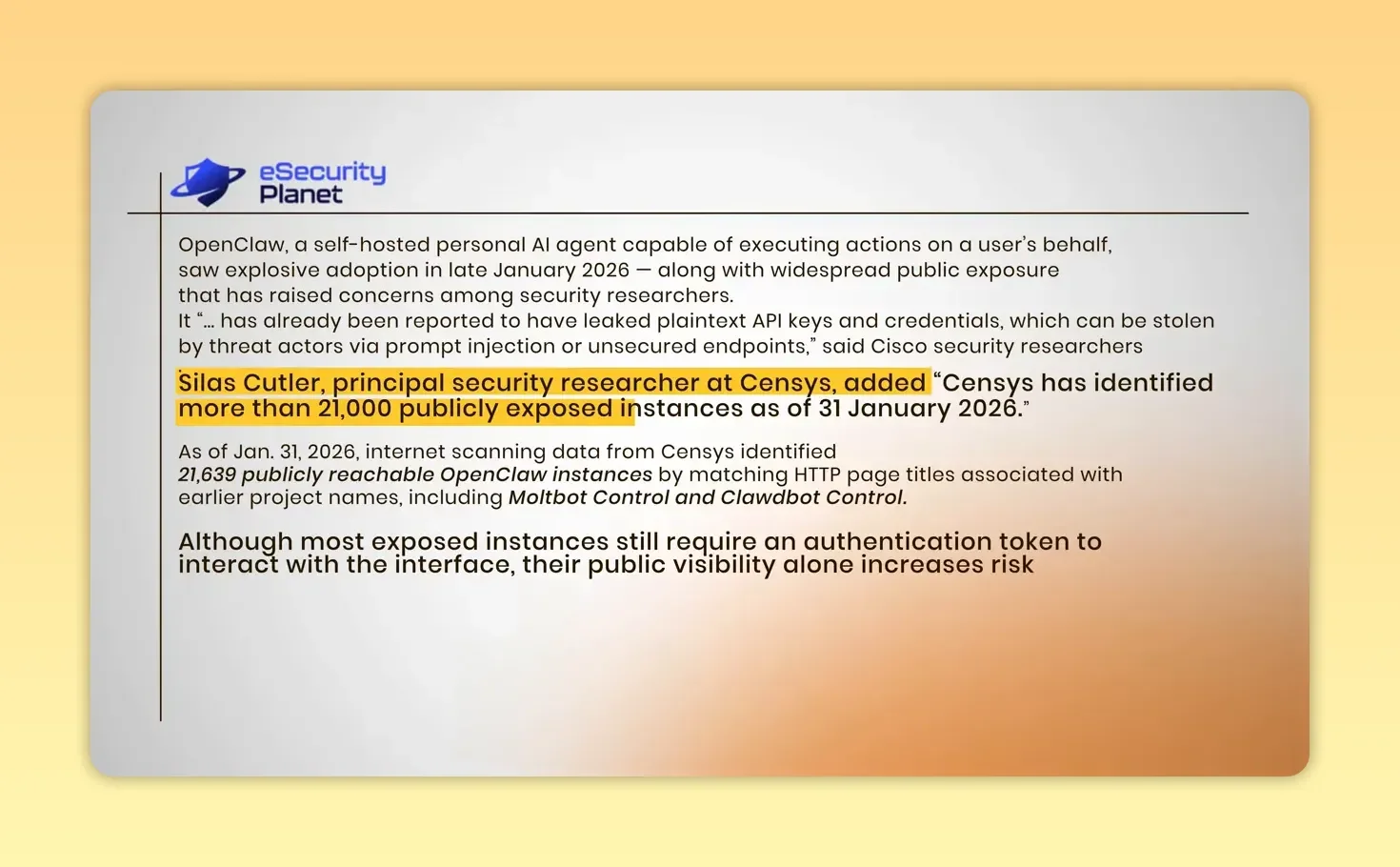
Censys finding highlighted: 21,000+ publicly exposed OpenClaw instances.
These weren’t zero-day exploits. They were basic misconfigurations: open ports, weak auth, and publicly accessible logs. One sloppy proxy or exposed panel hands an attacker the keys to your machine.
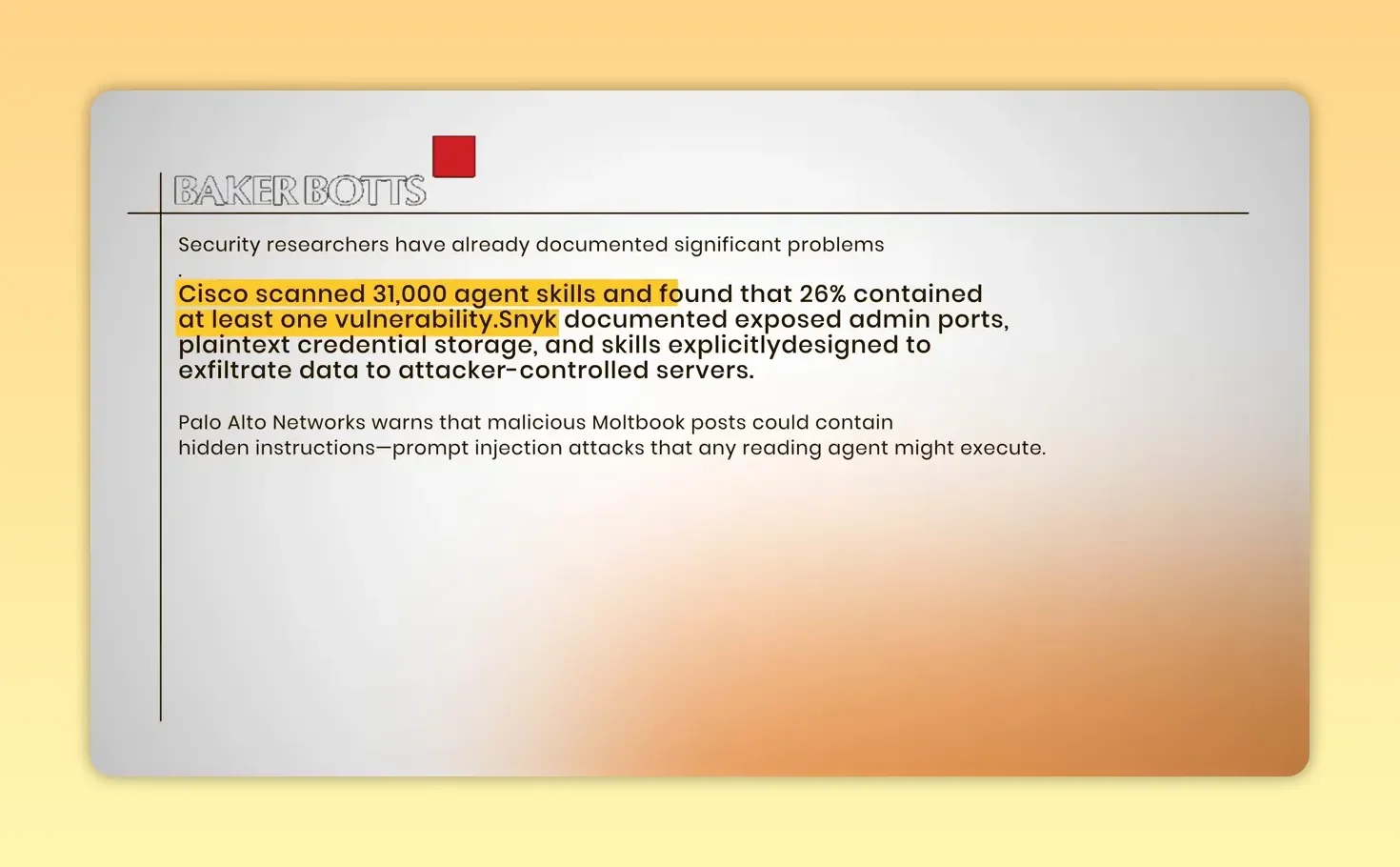
Slide: Cisco scanned 31,000 agent skills and found ~26% had vulnerabilities.
Privacy isn’t guaranteed just because it runs locally
Yes, “local” means your data doesn't automatically flow into a SaaS vendor. But local control only equals privacy if you configure it correctly. If logs are readable, a messaging bridge is misconfigured, or your control port is exposed, that local agent becomes a leaking liability.
It’s not plug-and-play: you must be technical
This is not a Chrome extension. Installing and running Clawdbot usually involves:
Running command-line installs (Node.js, Git, sometimes Docker or WSL2)
Generating and managing API keys (OpenAI, Anthropic, etc.)
Configuring messaging bridges and YAML skills
Debugging logs, patching, and updating regularly
If that list makes you uncomfortable, this project is not for you.
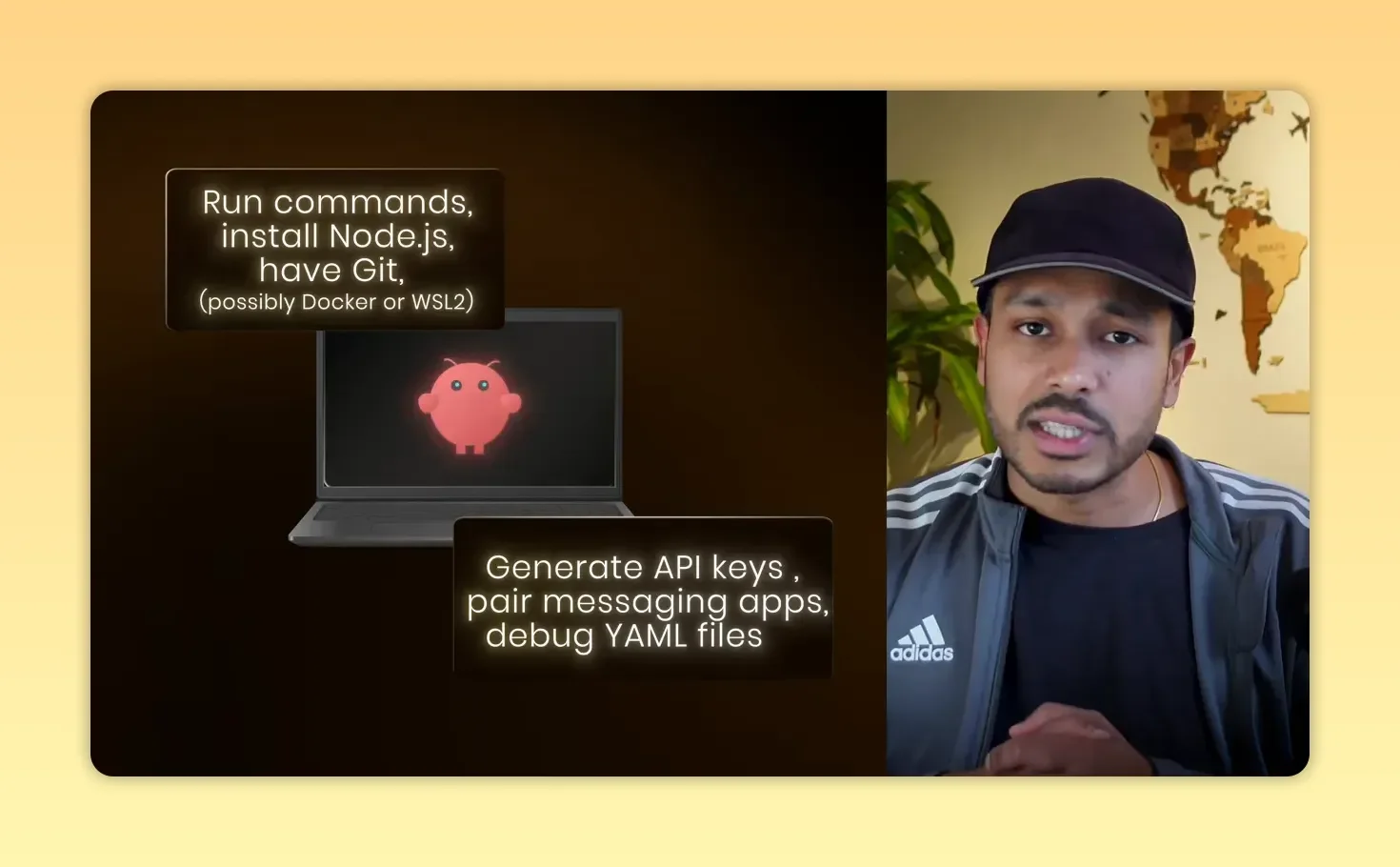
Setting up Clawdbot: command-line installs plus API keys and YAML debugging — not plug-and-play.
It isn’t “free” — the hidden costs add up
The software itself is open-source, but running an always-on autonomous agent calls LLM APIs constantly. Practical experience shows:
Complex tasks and persistent memory can burn roughly $10–$25 per day on the low end.
Some people report spending hundreds per day when the agent runs frequently or uses larger models.
Cheaper models often fail at complex tasks, pushing users back to costlier models.
Factor in hardware, monitoring, and time — a “free AI intern” can cost more than a human assistant.
Do you need a Mac Mini? No — but there’s a real minimum
The Mac Mini craze was mostly FOMO. Official docs show the agent can run on as little as 1GB RAM and a single CPU core — even a Raspberry Pi or a $5/month cloud instance can work for light experiments. That said, performance and reliability scale with better hardware.

You don’t need a Mac Mini — a Raspberry Pi or $5/month cloud instance can run light experiments.
The creator’s stance and the project’s maturity
The creator has repeatedly called the project a hobby/experiment and warned that most people shouldn’t install it. Early adopters describe the codebase as “vibecoded”: config duplication, a messy CLI, and little auditing. That’s fine for a prototype, but it’s not production-grade.
When—if ever—to use Clawdbot
After testing and reading the security reports, here’s my practical breakdown:
Good candidates: Developers, security researchers, and hobbyists who enjoy tinkering and can isolate the agent (VMs, air-gapped machines, or throwaway environments).
Possible candidates: Privacy-focused people who need local data processing and are comfortable managing security and updates themselves.
Bad candidates: Businesses, non-technical users, or any environment where exposing credentials, customer data, or corporate machines would be catastrophic.

Decision slide: key trade-offs—security, privacy, cost, and misconfiguration.
How to experiment safely — a practical checklist
Isolate the agent in a VM, container, or separate physical device (Raspberry Pi or dedicated cloud instance).
Use throwaway API keys and accounts for testing; never use production credentials.
Lock down network access: block inbound traffic, disable remote management ports, and require strong auth for any web UI.
Limit file access and avoid mounting sensitive directories.
Vet skills/plugins before installing; scan for network calls and suspicious code.
Monitor logs and set alerts for unusual outbound connections or credential usage.
Budget for API costs and cap usage to avoid surprises.
Keep the instance patched and update the agent regularly.
Final verdict — interesting, but not ready for most people
Clawdbot/OpenClaw is a powerful glimpse of what autonomous AI agents will become: agents that don’t just chat, but act. Right now though, it’s a prototype with real downsides. The same permissions that let it be useful also make it dangerous if misconfigured. Costs can spiral. The codebase needs auditing and better sandboxing before wide adoption.
If you’re curious and technical: experiment, but isolate and guard your keys. If you run a business or are non-technical: don’t deploy it yet. Use proven automation tools (Make, n8n) or managed AI assistants (Claude, ChatGPT) that give you the automation you need with far less risk.
Want to learn more?
If you’re evaluating autonomous agents for a project, start by mapping the exact problem you need to solve. Often a deterministic workflow or a smaller, sandboxed assistant will deliver 90% of the value without exposing you to the remaining 90% of the risk.
Have you tried Clawdbot / OpenClaw? Where did you run it, and how did you secure it? Share your experience — real-world setups and lessons learned help everyone make better decisions.